
- Omega Writer
- Features
Features
From the recording to the documents, without writing from scratch.
Omega Writer works in three stages: it takes the audio, turns it into text with speakers, and puts it to work in answers and documents you can verify.
1Audio
Takes any recording
Audio or video, from the tool you already use. Nothing to convert.
Files up to 2 GB
MP3, M4A, WAV, MP4 and the most common audio and video formats.
Or paste a link
From Google Drive, Dropbox, OneDrive, SharePoint or Teams: Omega Writer fetches the file.
36 languages
It detects the language of the recording, or you choose it.
Projects
Group the recordings of a board, a case, a client or a course, and work with all of them together.
2Text
Text you can verify
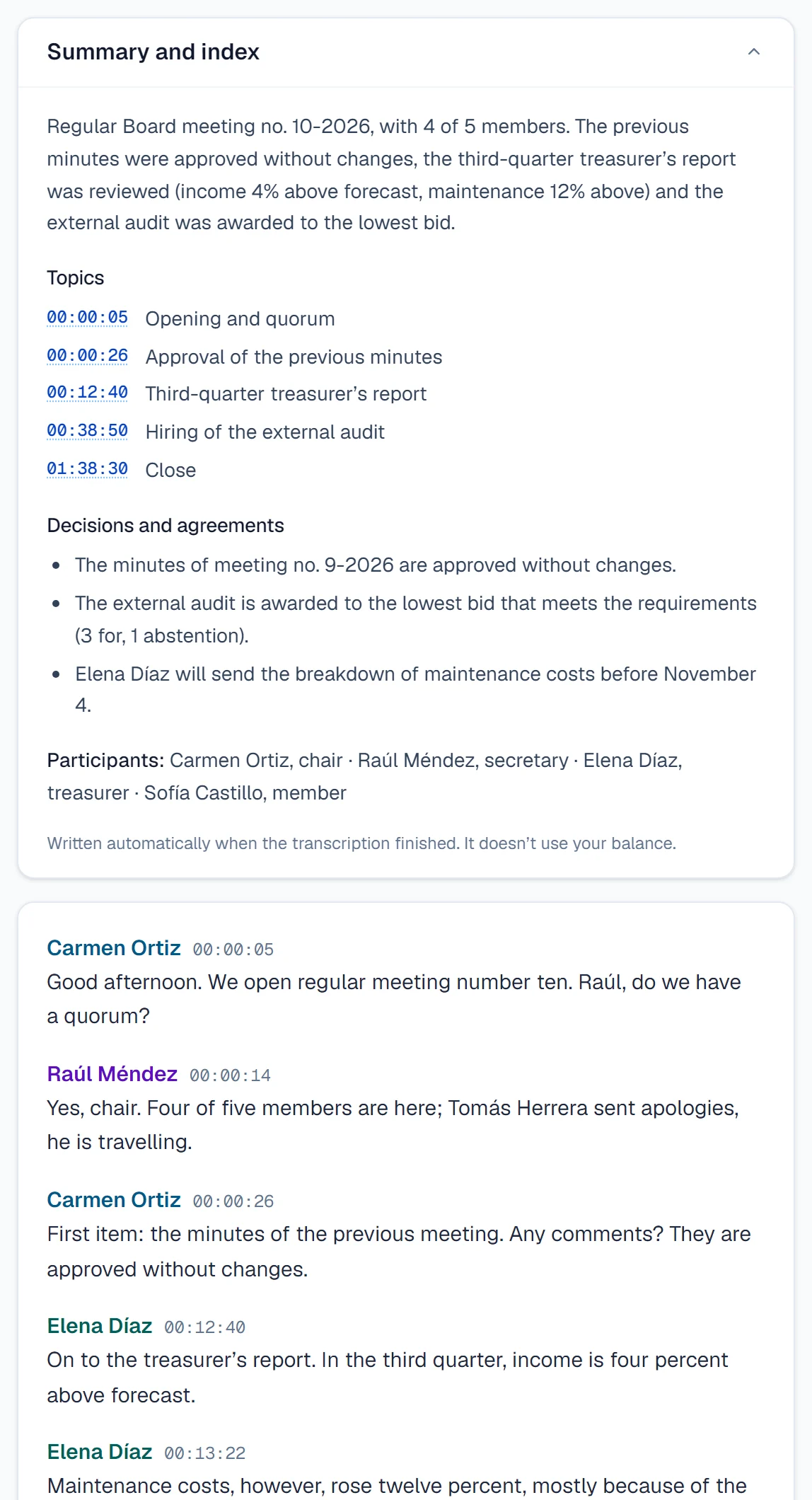
Every recording arrives transcribed, with speakers, timestamps, summary and index.
Transcript, summary and index
- It separates each person who speaks, and you give them a name.
- The summary, the topics with their minute, the participants and the decisions are generated on their own and don’t use your balance.
- Download the transcript in Word or text, with or without timestamps.
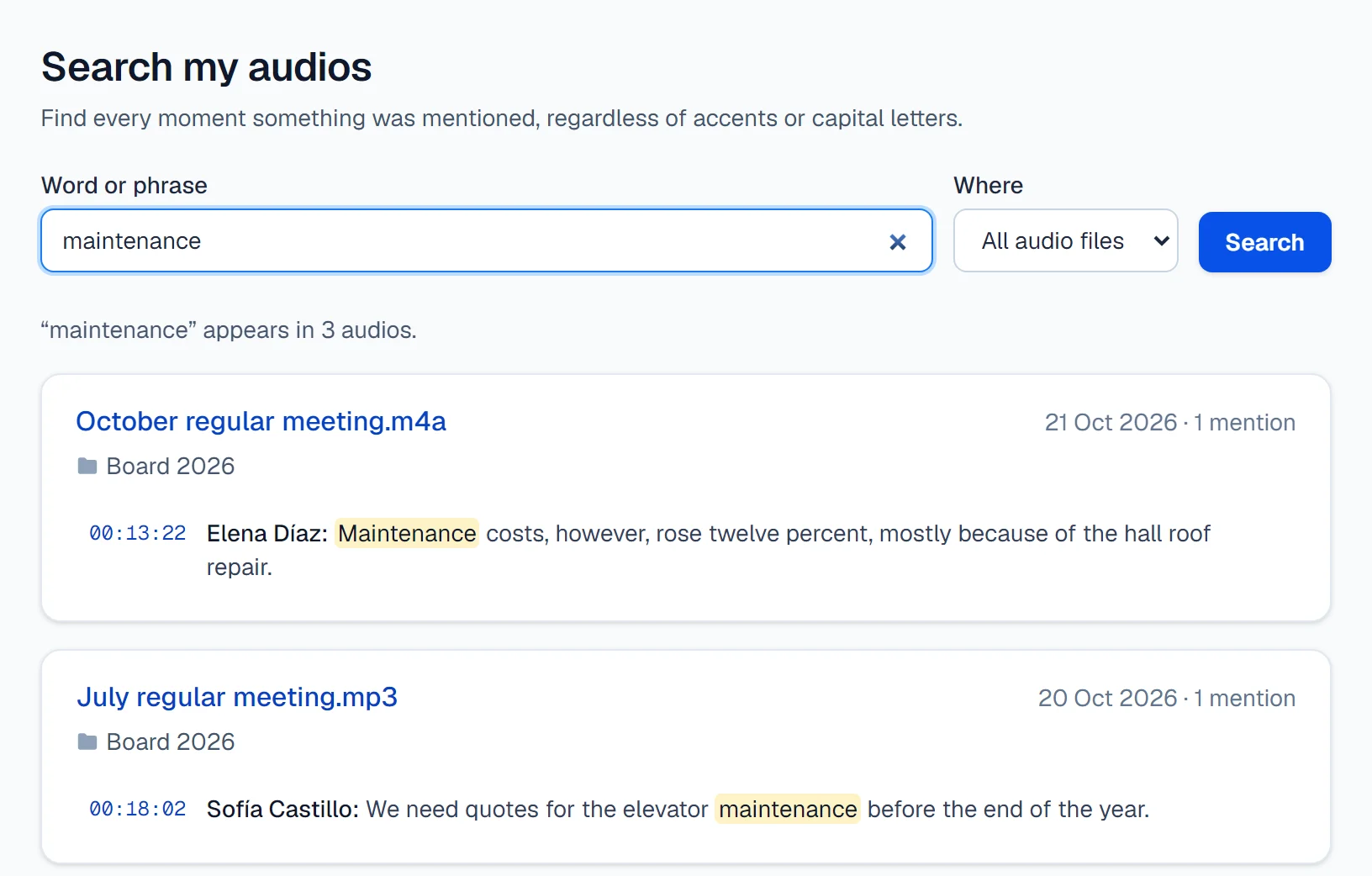
Search all your recordings
Type a word and find every moment it was said, across all your audio or within a project, regardless of accents or capital letters.
3Context
Answers and documents with a source
What was said, turned into answers, minutes, reports and tables. Every statement takes you to the minute in the recording.
Ask a recording
- Answers come only from what was said, in your choice of 16 languages.
- Every fact cites the minute; one click opens the transcript at that moment.
- A good answer becomes a document in one click.
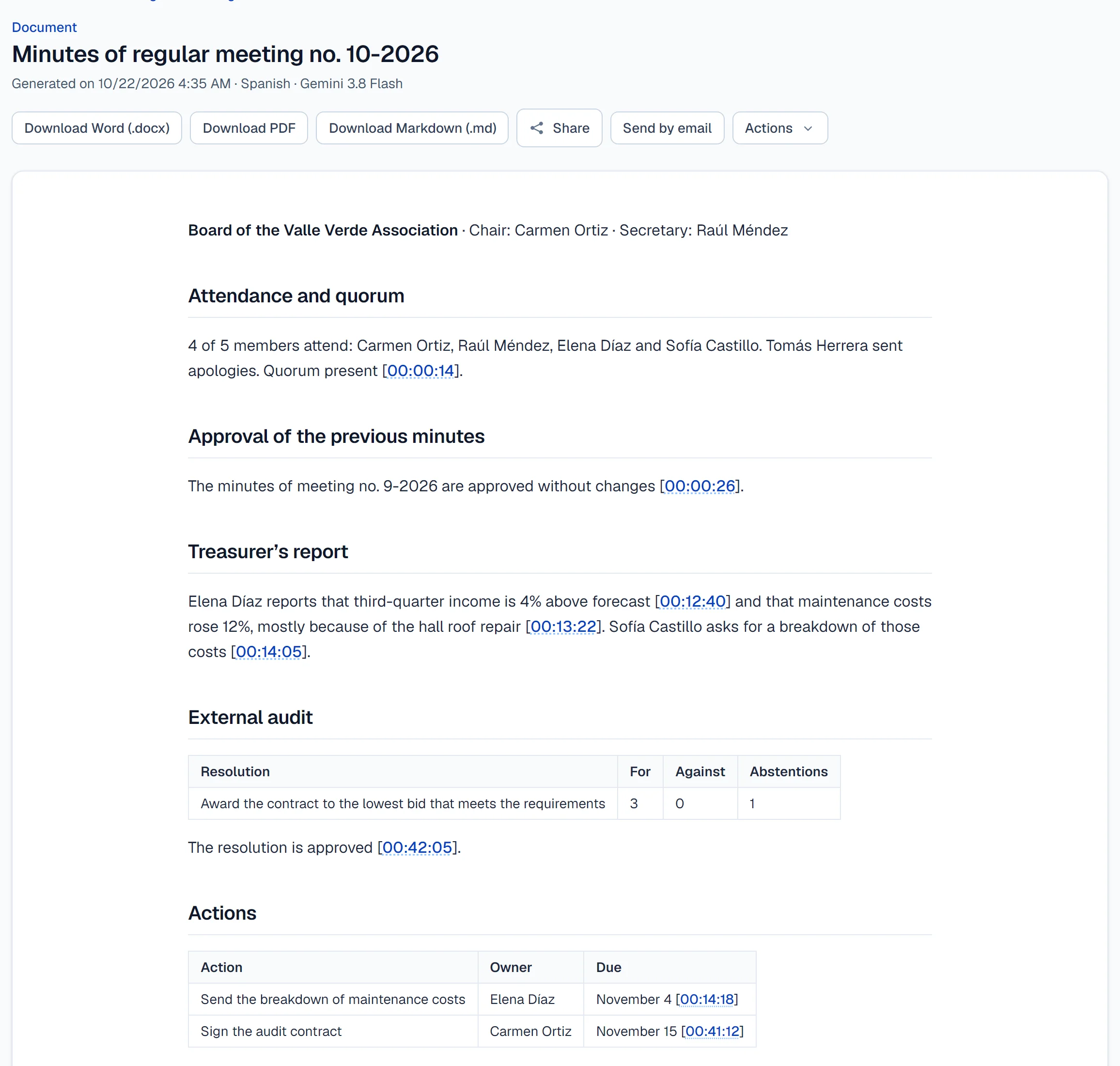
Documents ready to hand in
- Minutes, reports, summaries, slides and tables, in Word, PDF, Excel, PowerPoint, CSV or Markdown.
- Sector templates (government, legal, sales, education) and your organization’s own, shared with your team.
- Each audio includes 30 questions and 10 documents with the included model.
DOCXPDFXLSXPPTXCSVMD
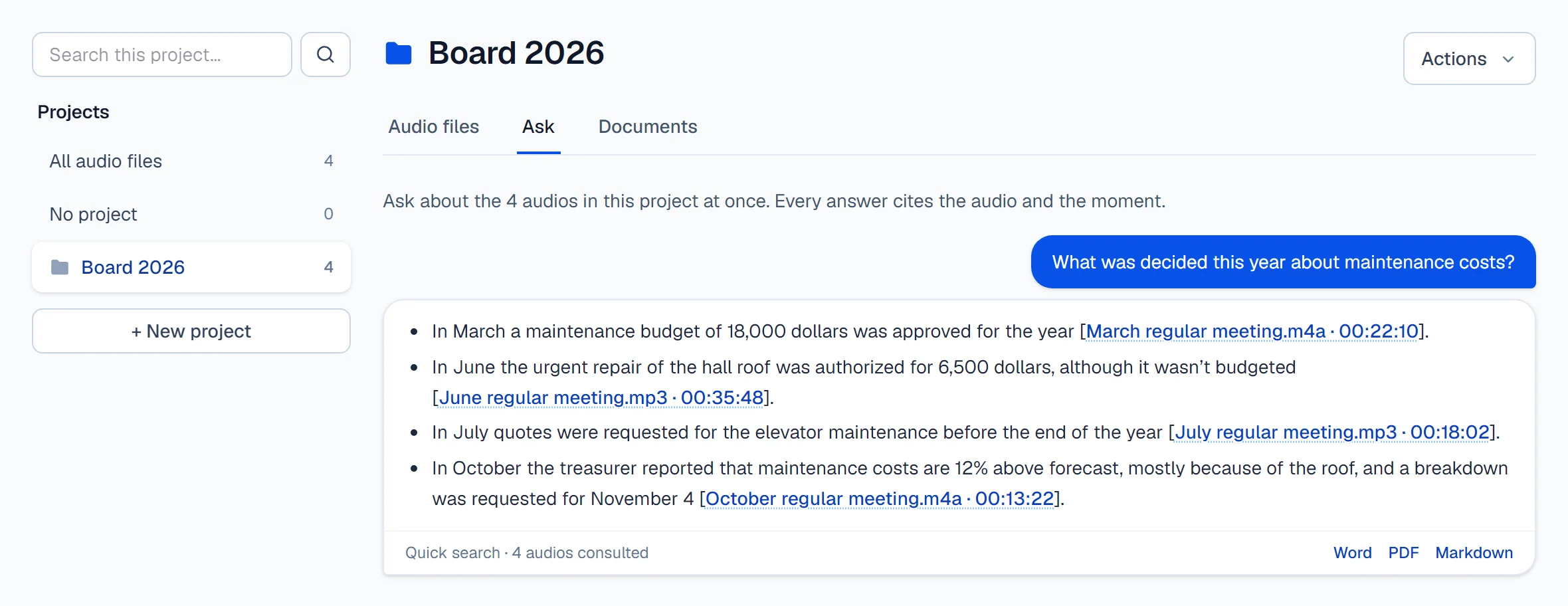
Ask a whole project
- One question across every recording in the project, citing the meeting and the minute.
- Quick search for specific questions; full reading for reports and lists.
- Draws on your balance at actual cost, and you always see the estimate first.
And also
Automations
Every audio added to a project produces its documents and emails them.
Share with control
Links with a password and an expiry date, or emails to up to 5 recipients.
Your team’s context
Your role, preferred tone and your organization’s acronyms, applied to everything you ask for.
Teamwork
The hours belong to the organization and each person sees their own audio. Up to 5 users on the Institutional plan.
Screenshots of the app with fictional data.